Terrible Lizards System Requirements: Minimum and Recommended
Terrible Lizards PC requirements: minimum GTX 1050, recommended RTX 2080, 25 GB storage, plus Steam Deck notes and practical performance advice.
Terrible Lizards is not a demanding game at 1080p, but its recommended specs are unusually wide. The minimum asks for a GTX 1050 or RX 560, while the recommended list jumps to an RTX 2080 or RX 6800 XT. That gap is larger than the visual difference between the two settings suggests, and it is worth understanding before you buy.
The short version: the game needs 25 GB of storage, a 64-bit Windows install, and a GPU with at least 2 GB of VRAM. A modern integrated GPU is not officially supported. The Steam depot is about 16.98 GB, so the 25 GB figure includes headroom for installation and patches.
Minimum: Windows 10, i5-6400 or Ryzen 3 1200, 6 GB RAM, GTX 1050 2 GB or RX 560 2 GB, DirectX 11, 25 GB. Recommended: Windows 11, i3-10100F or Ryzen 3 3100, 12 GB RAM, RTX 2080 or RX 6800 XT, DirectX 12, 25 GB. The game is Windows-only on PC.
Minimum requirements
| Component | Minimum |
|---|---|
| OS | Windows 10 (64-bit) |
| CPU | Intel Core i5-6400 or AMD Ryzen 3 1200 |
| RAM | 6 GB |
| GPU | NVIDIA GTX 1050 2 GB or AMD RX 560 2 GB |
| DirectX | Version 11 |
| Storage | 25 GB available space |
| Notes | 64-bit processor and OS required |
The minimum is aimed at 1080p with reduced settings. A GTX 1050 is an older entry-level card, and the game's dark environments hide some of the visual compromises. If you are on a laptop with a GTX 1050 Max-Q or a similar low-power variant, expect to lower the resolution or the shadow quality.
The 6 GB RAM minimum is realistic for a game of this scale. Windows itself can use 3 to 4 GB, so 6 GB leaves little headroom. Close your browser before you play.
Recommended requirements
| Component | Recommended |
|---|---|
| OS | Windows 11 (64-bit) |
| CPU | Intel Core i3-10100F or AMD Ryzen 3 3100 |
| RAM | 12 GB |
| GPU | NVIDIA RTX 2080 or AMD RX 6800 XT |
| DirectX | Version 12 |
| Storage | 25 GB available space |
The recommended CPU is modest, but the GPU is not. An RTX 2080 is a substantial card, and the RX 6800 XT is stronger still. The recommendation is likely aimed at high refresh rates or higher resolutions rather than 1080p/60.
If you have a GTX 1660 Super, an RTX 3050, or an RX 6600, you are between the two tiers. Start at 1080p with medium settings and raise the settings until the frame rate drops below your comfort level.
What the 25 GB storage figure means
Steam lists 25 GB, but the public depot is about 16.98 GB. The difference is installation overhead, temporary files, and future patches. Do not plan to fit the game into exactly 17 GB of free space.
An SSD is not listed as a requirement. The game loads chapters and checkpoints rather than a seamless open world, so a hard drive will work. An SSD will shorten the initial load and the chapter transitions.
Steam Deck compatibility
The game is rated Playable on Steam Deck. That means it runs, but it does not meet every criterion for "Verified." Valve's notes flag two issues:
- Small interface text. The UI and subtitles can be hard to read on the handheld screen.
- External controllers are not supported for the primary player. The built-in controls work, but a paired controller may not.
If you play on Steam Deck, consider playing with headphones and using the built-in screen. The game's dark scenes and small notes are the main readability challenge.
The Steam Deck version is the Windows build running through Proton. There is no native Linux version.
Console versions
The game runs on PlayStation 5 and Xbox Series X|S. The console versions do not have published performance modes or resolution targets. They are the simplest option if you do not want to think about specs.
The Xbox version is included with Game Pass. The PlayStation version is a separate purchase.
Performance tips
- Start at 1080p. The game's art direction is dark and atmospheric, and resolution matters more than ultra settings.
- Lower shadows first. Shadow quality is usually the biggest performance cost in a first-person game with large indoor spaces.
- Cap the frame rate. A stable 60 is better than a fluctuating 80. If you have a variable refresh rate display, use it.
- Close background apps. The 6 GB minimum leaves little room for a browser with many tabs.
- Check the patch notes. Patch 1.0.9 fixed several progression and controller issues, including a sprint problem on controllers. Make sure you are on the latest build.
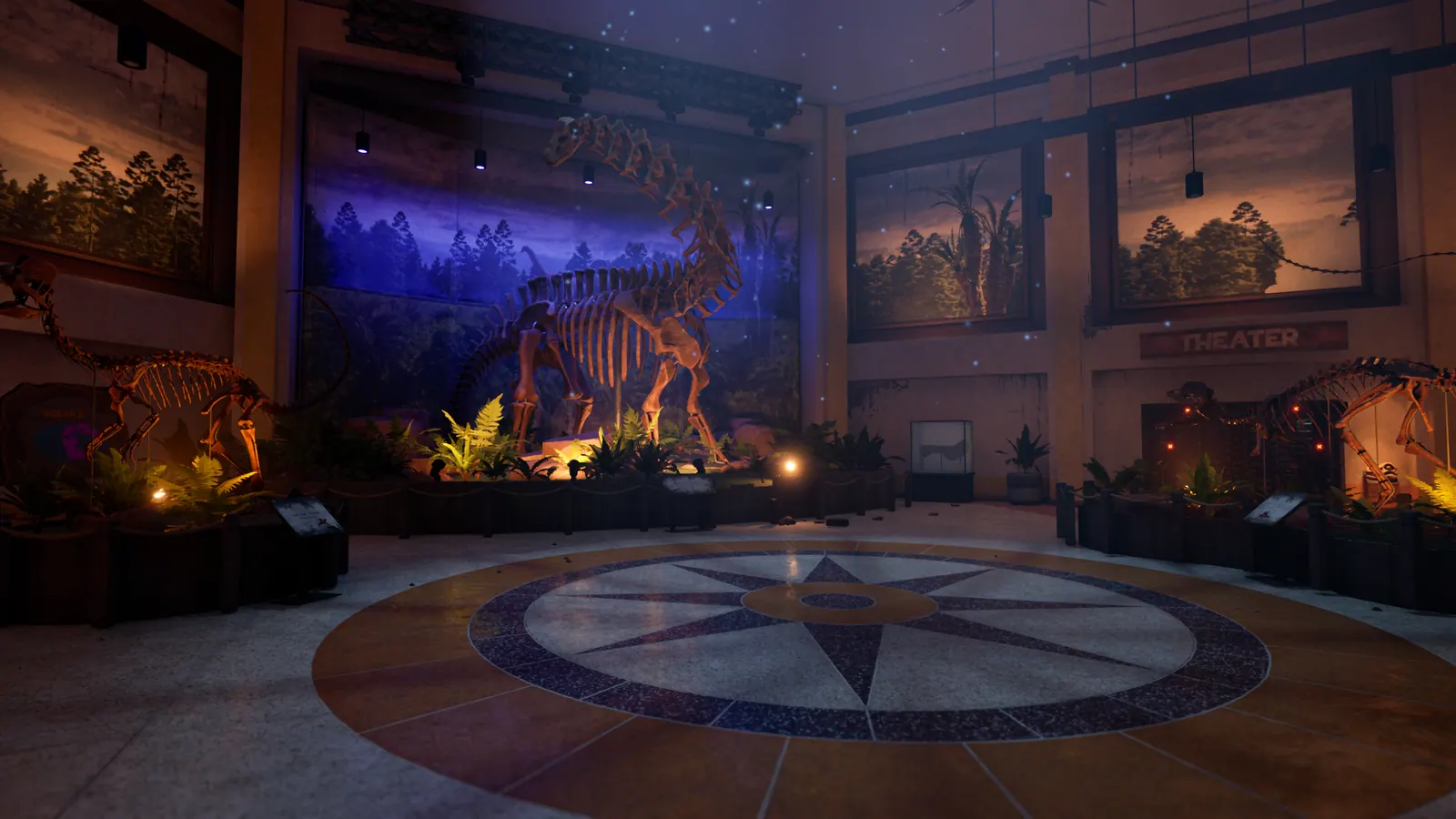
The game does not publish an official benchmark tool. Use the first chapter as a test: the lobby and the exhibit hall are the most demanding indoor spaces, and the caverns are darker but wider.
Can you run it on a laptop?
It depends on the GPU. A laptop with an RTX 3060 mobile or better should run the game at 1080p with medium settings. A laptop with integrated graphics is below the minimum.
Check the GPU model, not the CPU. Many thin laptops have strong CPUs and weak integrated graphics, which is the opposite of what this game needs.
FAQ
How much storage does Terrible Lizards need? 25 GB according to the store page. The download itself is about 17 GB.
Is Terrible Lizards on Mac? No. The Steam version is Windows-only, and there is no native macOS version.
Is Terrible Lizards on PS4 or Xbox One? No. It launched on PS5, Xbox Series X|S, and PC.
Does it run on Steam Deck? Yes, with a Playable rating. The interface text is small, and external controllers are not supported for the primary player.
Do I need DirectX 12? The minimum lists DirectX 11 and the recommended lists DirectX 12. A DirectX 11 GPU can run the game at the minimum settings.
Is 6 GB RAM enough? It is the minimum. 8 GB is more comfortable, and 12 GB matches the recommended spec.
What to read next
The price and platforms guide covers the storefronts and Game Pass. The how long to beat guide explains the chapter lengths, and the beginner guide covers the first hour.
If you are ready to play, start with the full walkthrough. For performance questions, the Steam community hub is the place to compare notes with other players.
Sources
- Terrible Lizards on Steam — official system requirements and storage figures.
- Steam Deck compatibility page — the Playable rating and its criteria.
- Xbox Wire: Movement Is Your Weapon — platform and Game Pass details.
- Terrible Lizards official site — premise and setting.
Official source: Terrible Lizards on Steam — release date, price, platforms, and patch notes.
More Terrible Lizards Guides
Rail and Freight Caverns route: goo launch pads, the Allosaurus stare, the freight platform puzzle, and all four fuse locations.
The Deep route: DJ's Allosaurus tooth, the special-spectrum lights, Cavern A dynamite, the Crew Lift Key, and the two-minute Dennis chase.
Every Terrible Lizards chase and hunt route, with the trigger, the escape path, and the exact spots where first runs lose the dinosaur.
All Terrible Lizards collectible totals and the confirmed amber, tape, note, statue, and stuffed animal locations, chapter by chapter.
Who Dennis is in Terrible Lizards: DJ's imaginary friend, the Paleo Pal mascot, and the creature in the lair, plus the story clues that connect them.
What happens at the end of Terrible Lizards: the crew lift escape, Dennis's fate, the black material, the bonus scene, and the sequel hook.
Terrible Lizards takes 6–10 hours for the main story, with chapter-by-chapter estimates, completionist timing, and the things that slow a first run down.
How Terrible Lizards movement works: aerial control, wall runs, slides, mantles, swings and bounces, with the timing that keeps chases from ending in a fall.